
metar.cloud Adds NATO Color Codes for Aviation Weather
The popular aviation weather app now supports the seven-tier NATO color system alongside traditional FAA flight categories.
The aviation weather platform metar.cloud has rolled out support for NATO color codes, giving pilots another way to interpret conditions beyond the standard FAA flight categories.
While most flight sim pilots are familiar with VFR, MVFR, IFR, and LIFR, the NATO system offers something different: seven distinct levels instead of four. That extra granularity can be useful when you need to quickly distinguish between "marginal but workable" and "probably staying on the ground."
What Are NATO Color Codes?
Used across military airfields in Europe and NATO member states, this system assigns a color state based on two factors: visibility and cloud ceiling. The final color is determined by whichever reading is worse.
The scale runs from BLU (blue) at the top — clear skies, excellent visibility — down through WHT (white), GRN (green), YLO1 and YLO2 (yellow), AMB (amber), and finally RED for conditions that ground most operations.
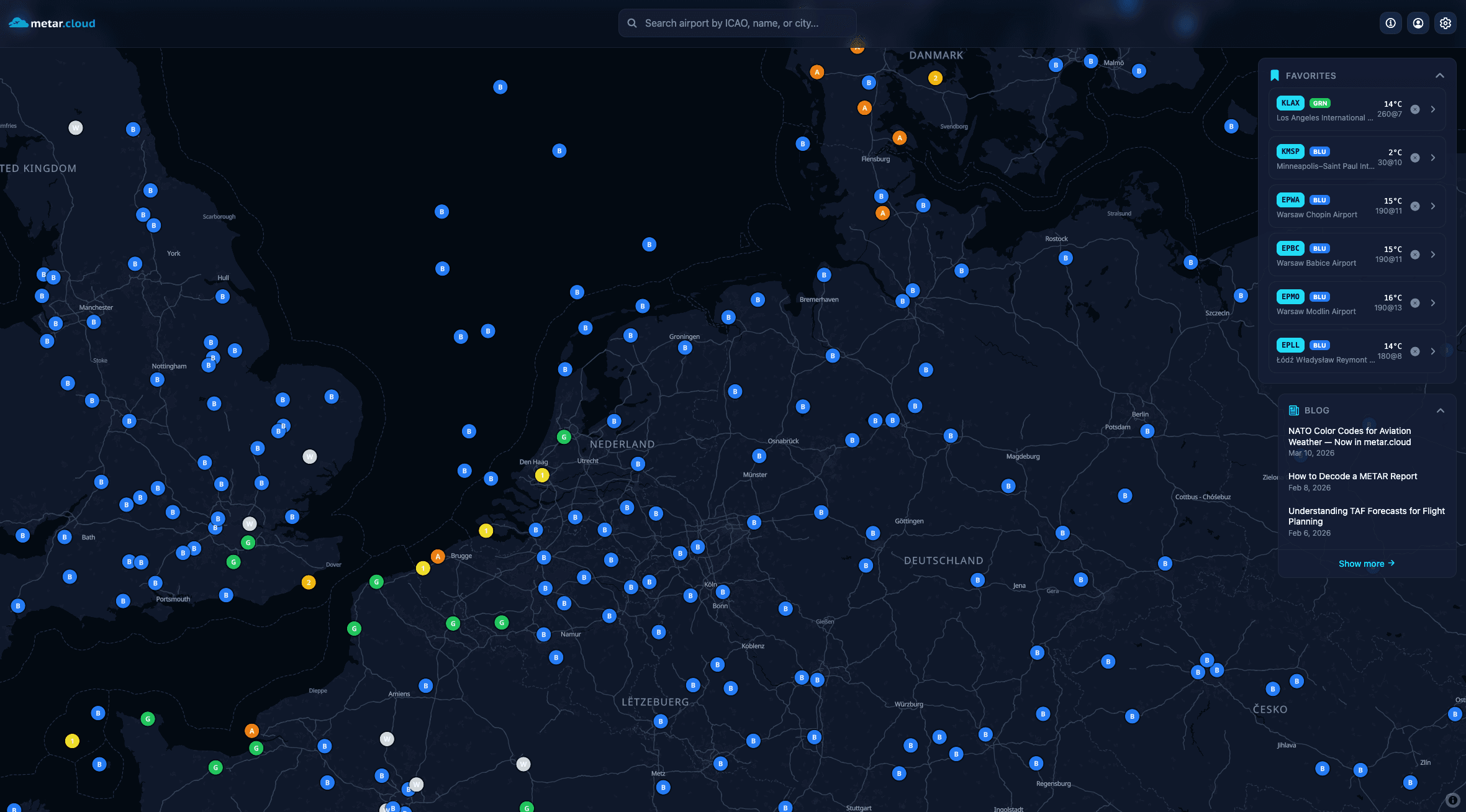
The Thresholds
Here is how the NATO system breaks down:
- BLU — Ceiling at least 2,500 ft, visibility at least 8 km
- WHT — Ceiling at least 1,500 ft, visibility at least 5 km
- GRN — Ceiling at least 700 ft, visibility at least 3.7 km
- YLO1 — Ceiling at least 500 ft, visibility at least 2.5 km
- YLO2 — Ceiling at least 300 ft, visibility at least 1.6 km
- AMB — Ceiling at least 200 ft, visibility at least 800 m
- RED — Below AMB thresholds
The ceiling is defined as the lowest layer with 3/8 coverage or more (scattered, broken, or overcast). When ceiling and visibility suggest different colors, you take the worse of the two.
How to Enable It
In metar.cloud, open the settings menu and look for Color Scheme. Switch from FAA to NATO and the entire app updates: map markers, airport badges, and detail views all reflect the new system.
Why It Matters for Sim Pilots
If you fly European scenery or operate out of military fields in DCS or MSFS, the NATO system will feel more natural than the FAA categories. The finer gradations also help when planning flights — the jump from YLO1 to YLO2 tells you more than a broad IFR label.
Even if you stick with FAA categories, understanding NATO codes is useful aviation knowledge. Next time you see color states mentioned in a NOTAM or airfield briefing, you will know exactly what they mean.